3.2 Planning Your Portfolio
Menu/Pages
. Home
. About
. Portfolio
. 3D Modelling
. Ideas & Sketches
. Personal Work
. Life drawings
. Contact/Personal Info
Plan Navigation
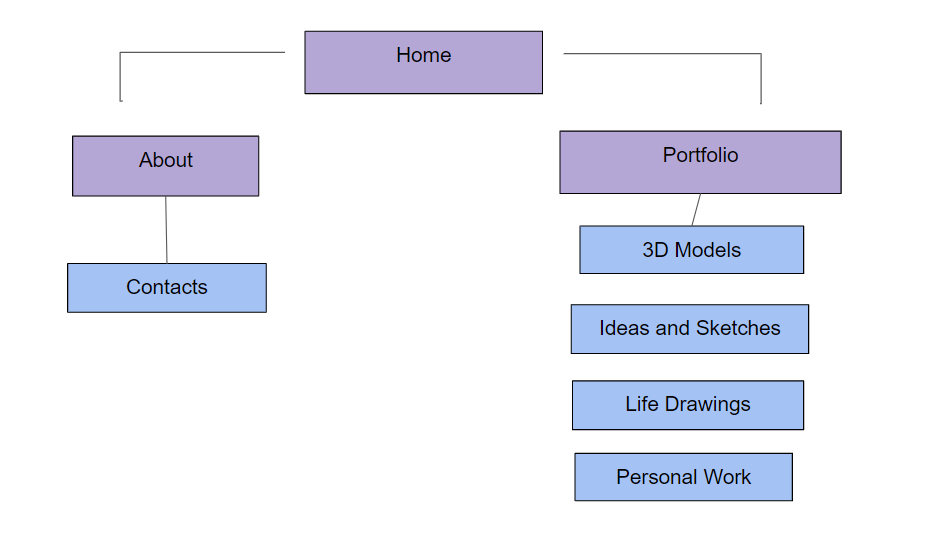
I am confused over doing a diagram for navigation, but this one is just a simple version of what I understand. As the portfolio will be the most important part of the site, that menu would have multiple pages, depending on the format I use. For example, I would put 3D models and related themes in one page, some of my personal work which is unrelated would go in another page, etc. In this option, contacts would be attached to the About menu, so my contact information would be released on the same page that explains about myself. This is a simple diagram for a navigation menu, but I think it depends on which site I’ll end up using.
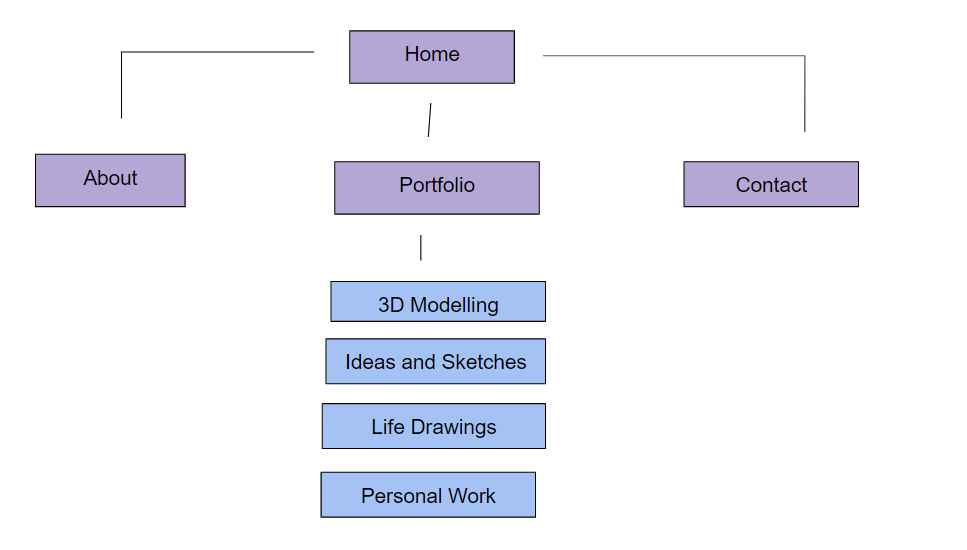
The above diagram is a more stretched out version of my first diagram. This navigation has an additional menu, but it’s only for my contacts. For my contacts, I could add links and information, such as additional social media or other sites I may use to promote my work. As I suggested in my first diagram, the portfolio would be the more important part of the site, so I would have more additional pages for this menu.
Page Layouts
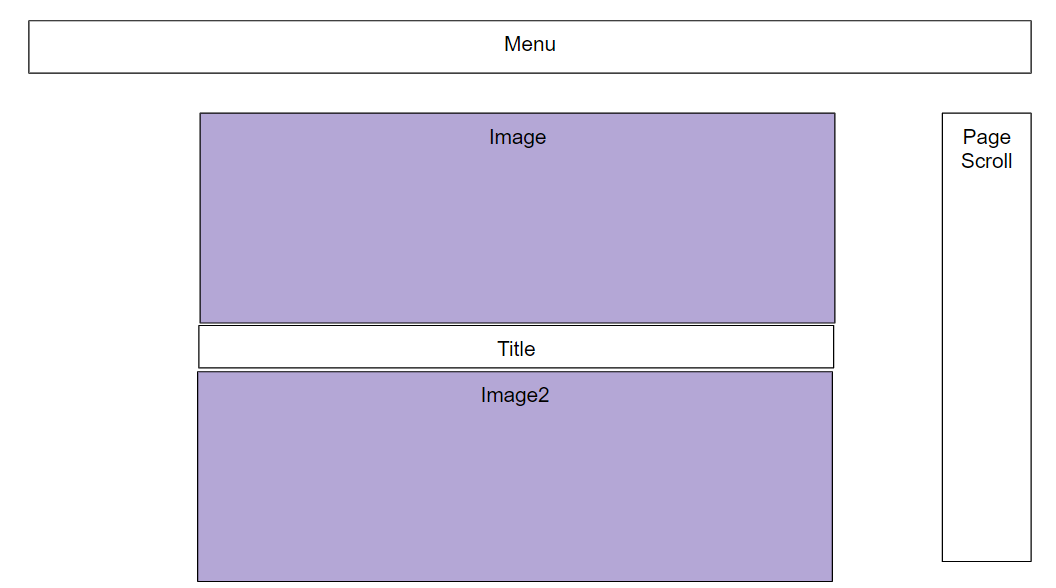
The above layout is inspired by the layout of one of the WordPress portfolio layouts. It’s simple, for it’s basically a scroller style portfolio, with a screenshot of my work in a vertical row. This sort of layout would be used for a more simple layout, but I am not too keen on the way this looks, for sometimes, it ruins the experience of looking at some artwork. If I were to use WordPress, I would most likely go with this format.
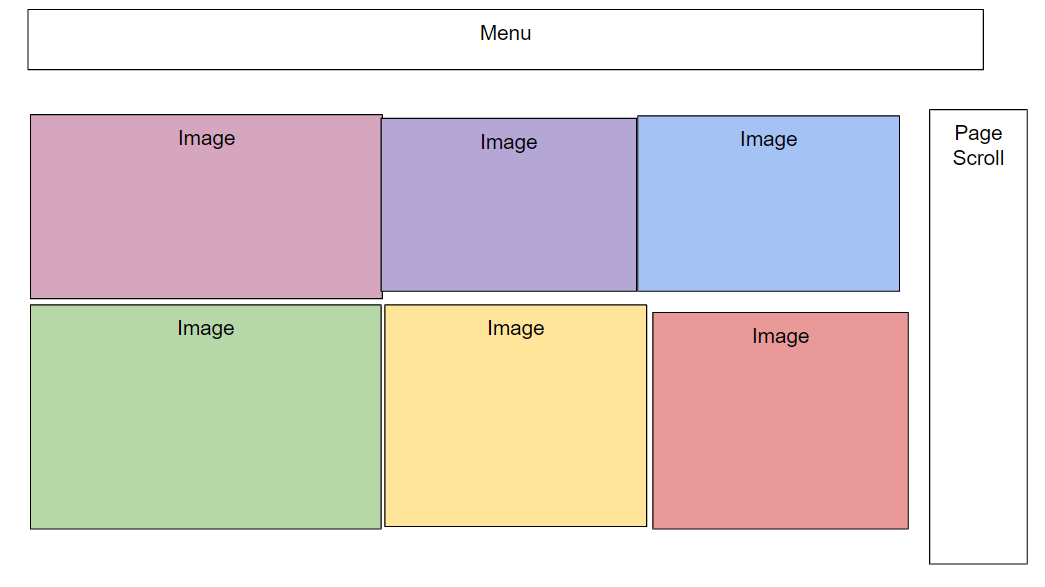
The diagram above shows another layout proposal. This one is more inspired by the ArtStation layout, where the artwork is displayed all together. I quite like this format, as it could show off more of my portfolio work, rather than the first proposal, where it would show one image before having to scroll down for the next image. It also appears more professional by appearance.
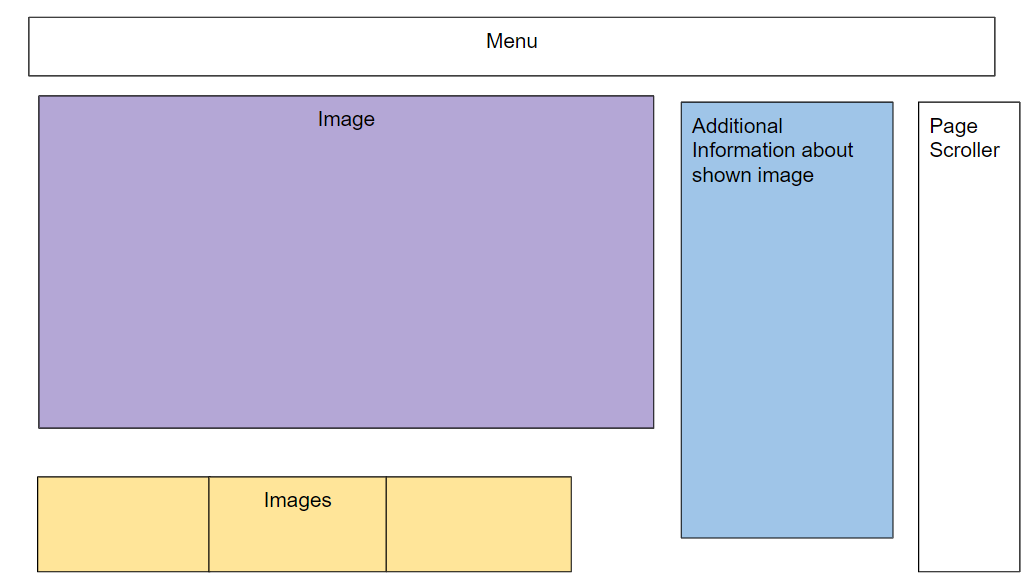
The above image is the final diagram for a page layout proposal. This one shows off more of the image while adding information about it. The information I could give could most likely be what inspiration I got too design the sketch, and what software and tools I used. There would also be an additional scroller at the bottom which shows off other work from my portfolio, so it could directly lead viewers to see it. I’m not sure what to think of this design, because I am not sure what site I would have to use to create this format, and I don’t think it looks as professional as idea 2.
3.2 Creating Portfolio
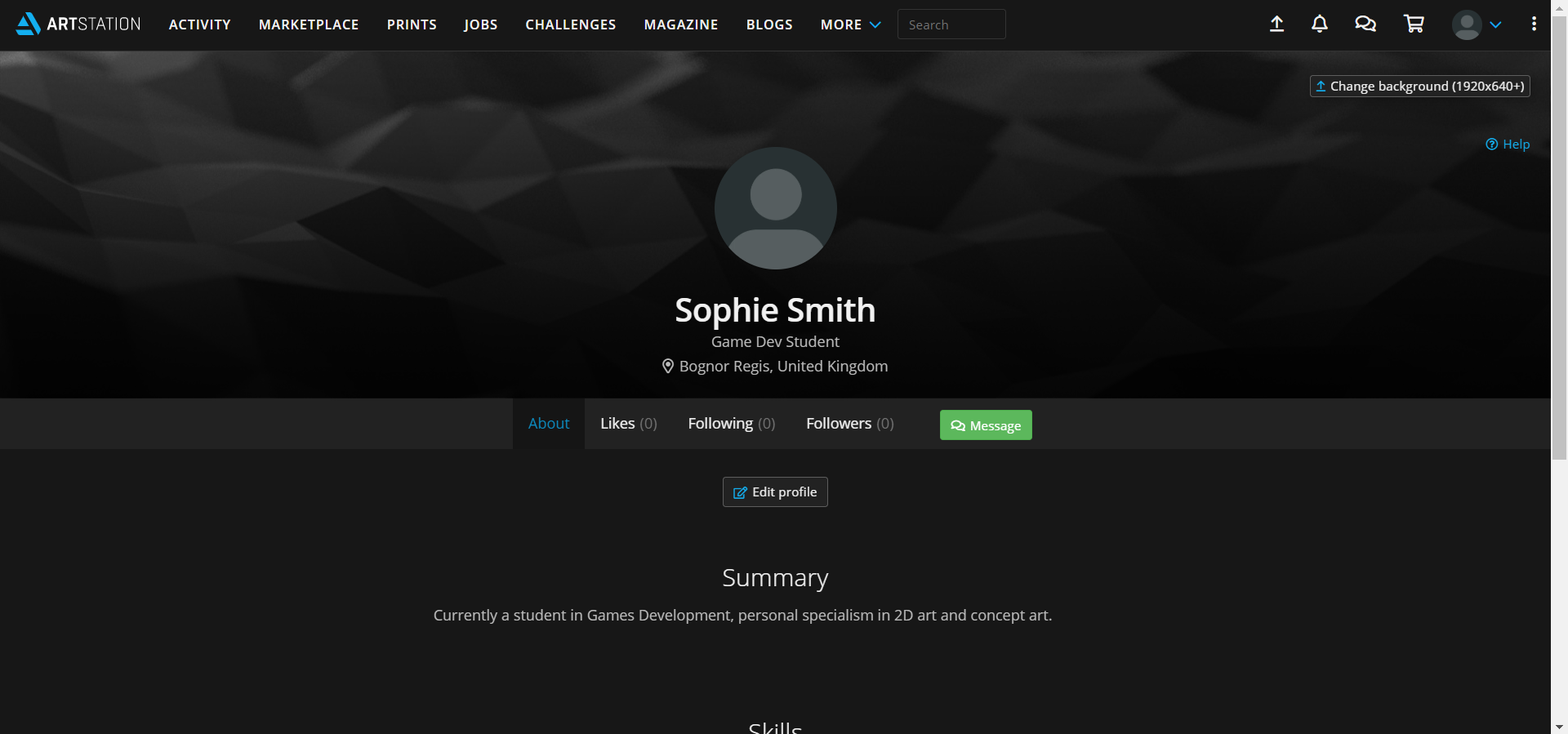
For creating my online student portfolio, I used the website ArtStation, particularly because the site is specially designed for creating portfolios and I quite like the layout for it. I am unsure completely on what would be considered professional in terms of appearance, so I just left my summary as blunt as possible.
 Sophie Level 3 Games Dev 2nd Year